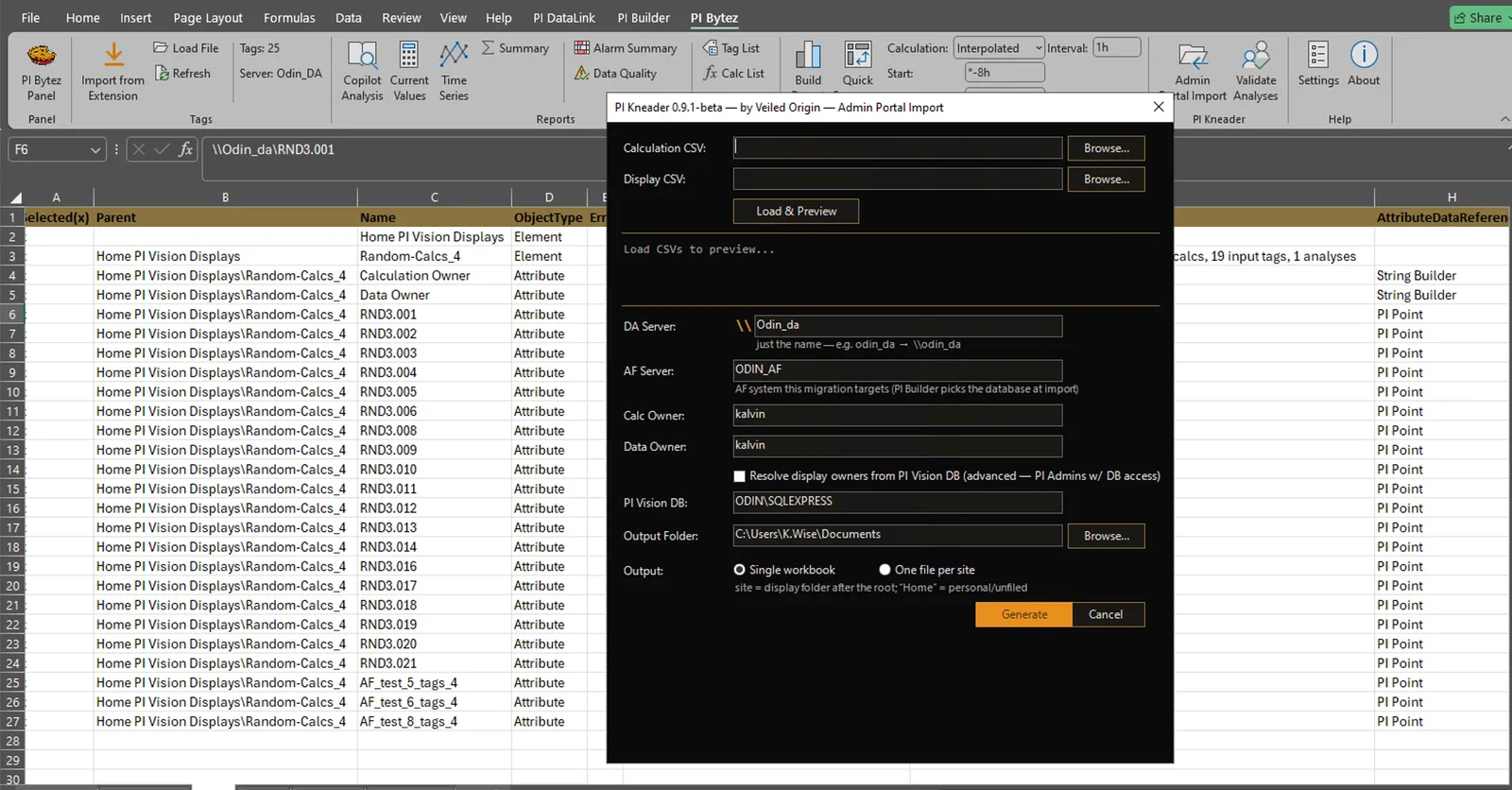
Bulk migration pipeline embedded in the PI Bytez Excel add-in. Reads PI Admin Portal CSV exports. Applies the AF Tune-Up. Scores calcs by business impact. Outputs one PI Builder-ready workbook per server.
The AF Tune-Up
No ad-hoc decisions. No engineer-by-engineer inconsistency. Every calc passes through the same transformation pipeline — and every edge case lands in the _REVIEW sheet for manual triage.
Every expression wrapped with If BadVal(tags) Then Nothing Else expr. No more silent NaN propagation into AF analyses.
Colons → underscores. Non-alphanumeric chars stripped. Length-capped at 120. Collision detection → _REVIEW, never silent drops.
PI Vision's free-form intervals ("5m", "auto", "1h") mapped to AF Periodic frequencies with overflow guards.
Analyses chunked at 10 assignments per row (configurable). Avoids PI Builder's practical ConfigString size limits.
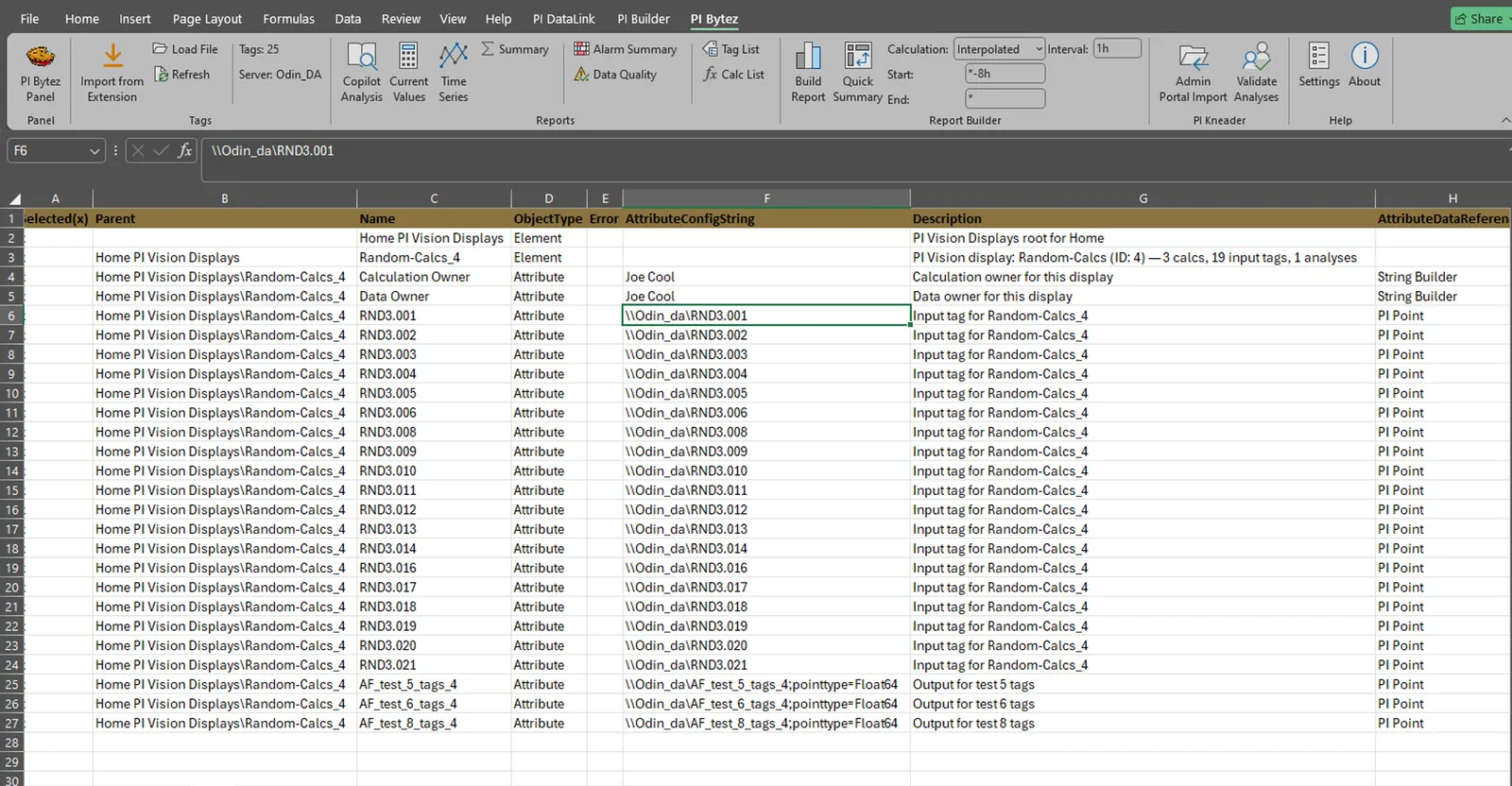
AF element hierarchy built from Display Usage path: Site\Folder\Display. No manual AF design — just mirror PI Vision's structure.
Every workbook written to .tmp, then renamed. Crash mid-write doesn't leave a corrupt file on disk.
Migration Scoring
Not every calc is worth migrating. PI Kneader scores every calc by business impact so you can phase the migration — top-20 this quarter, long tail next.
score = UseCount × TotalViews × UniqueUsers ÷ ServerCost
Inputs come from the Admin Portal CSV (UseCount, TotalViews, UniqueUsers). ServerCost is a per-server weight you control — heavier servers can depress their calcs' scores.
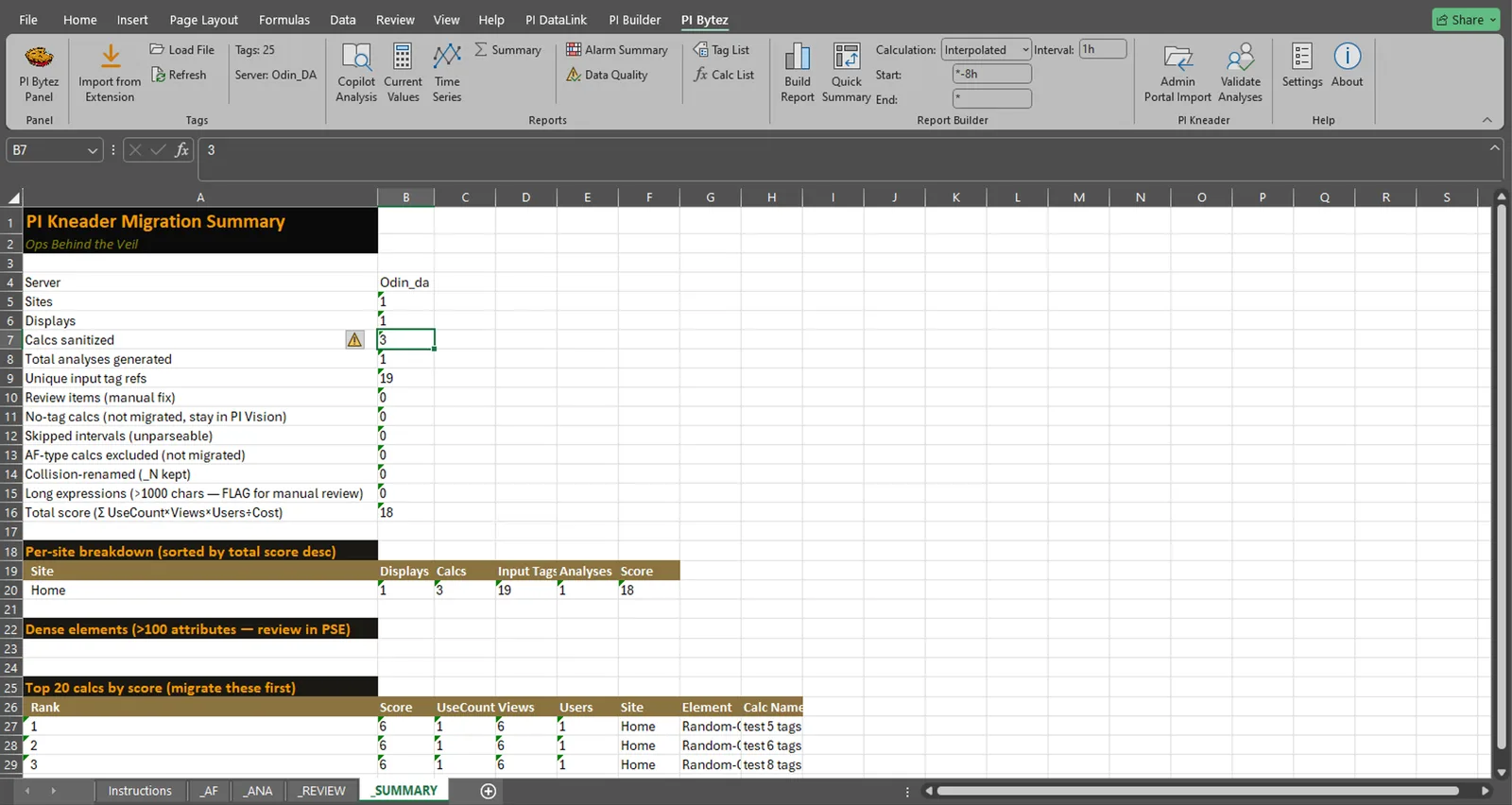
The _SUMMARY sheet surfaces the top 20 calcs by score, per-site score totals, and a sorted _REVIEW sheet so review items are triaged highest-impact first.
How it works
Two CSVs: Calculation Usage + Display Usage. Admin Portal exports them on demand. No extra integration.
Open the Admin Portal Import dialog in the PI Bytez Excel add-in. Pick the two CSVs. Set server costs (optional). Click Generate.
One .xls per PI server with 5 sheets: Instructions, _AF, _ANA, _REVIEW, _SUMMARY. Import the AF and ANA sheets. Review anomalies.
The output
_AF · hierarchy
_ANA · analyses
_REVIEW · anomalies
FAQ
Does PI Kneader work without PI Bytez?
PI Kneader is packaged inside the PI Bytez Excel add-in. One license covers both. You can run PI Kneader standalone if you already have the Admin Portal CSVs — no browser extension required.
What PI Vision versions are supported?
Any PI Vision version that exports Admin Portal CSVs with the standard schema (2019+). PI Kneader parses the CSV directly; no API calls to PI Vision itself.
What happens to calcs that can't be migrated?
Every problem calc lands in the _REVIEW sheet with a reason: missing_display_id, unparseable_interval, sanitization_collision, or a validation error. Nothing is silently dropped. The _SUMMARY sheet tallies every category.
Can I customize the AF Tune-Up?
Not in the v0.9 beta. Server cost overrides (for scoring) are configurable per-server. Deeper customizations (alternate naming, interval mapping rules) will land post-GA or through consulting engagements.
Does it run without a network connection?
Yes — fully offline once installed. All processing is local Excel + local CSVs + local workbook output. No PI API calls, no cloud, no phone-home.
Is there a dry-run mode?
Yes — generate the workbook without importing into PI Builder. Review the _REVIEW and _SUMMARY sheets first. Import only when the anomaly count looks right.
Send us an Admin Portal CSV export and we'll generate the workbooks for a quick demo. No obligations.