PI Bytez · v1.3.2 · Beta

Trend any PI tag in seconds. It's ready when you aren't.

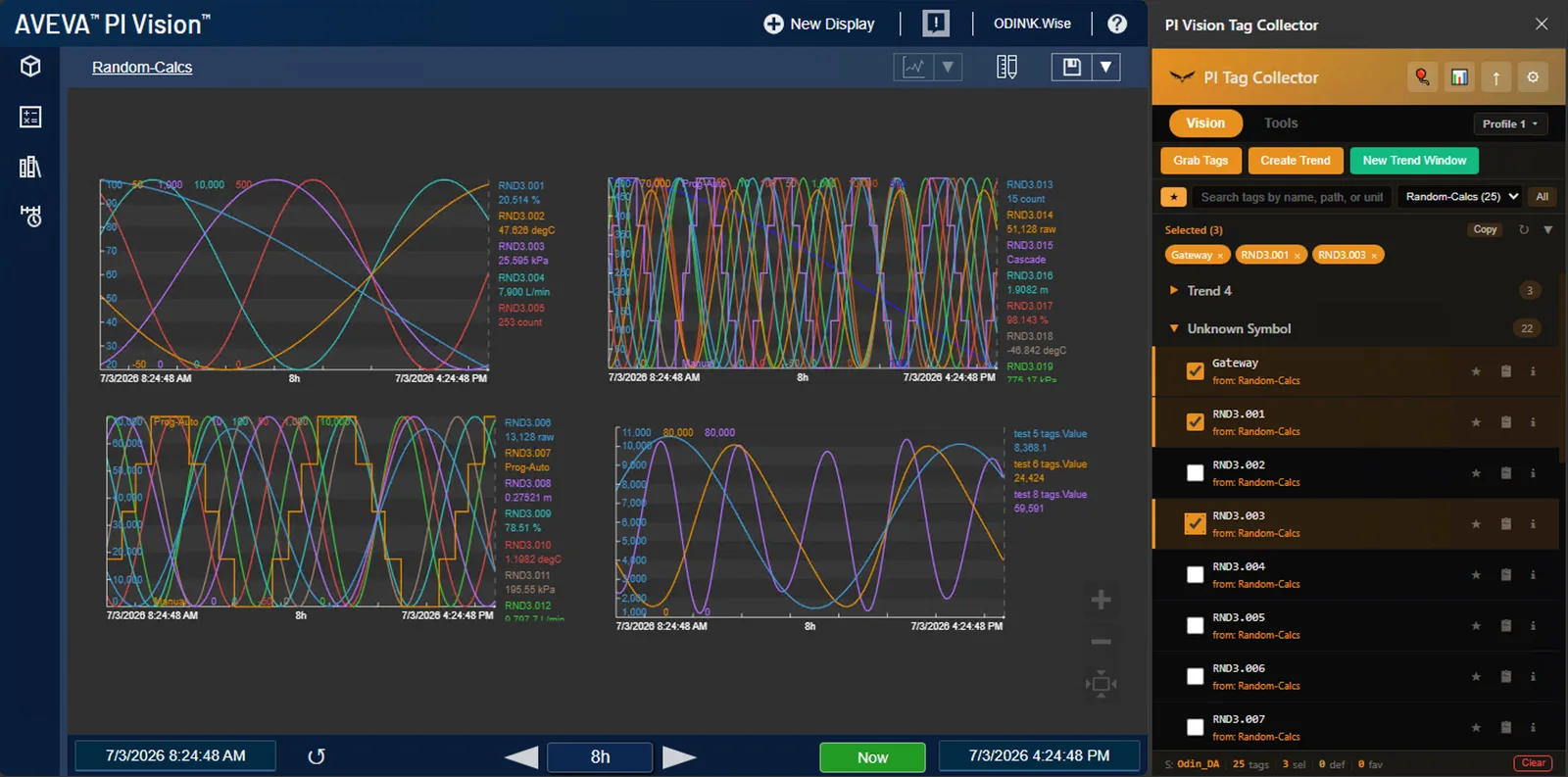
Every PI Vision display you load contributes its tags to the side panel — and they stay there. Across pages. Across sessions. When the operator calls and you don't remember what something's called, the path is one click away.

Request beta access See pricing
PI BYTEZ 47 tags
TI-4501A.PV°F184.2
FI-2203.Flowgpm512.8
PIC-1104.SPpsig95.4
LI-3310.Level%62.1
AI-5520.O2mol%0.81
calc:AverageFlow.Valuegpm498.3
TI-4501B.PV°F186.7

When you'd reach for it

Built for the moment seconds matter.

PI Bytez isn't a once-a-quarter migration tool. It's the side panel you keep open every shift — for the trend you need to build right now, the tags you need to share before the operator hangs up, the hotlist that saves the next engineer from reinventing your work.

Operator on the line

You haven't touched the affected unit's displays in months — but every tag you've ever loaded is still in the side panel. Search, pick, build a multi-tag trend in seconds. No typing tag paths from memory while the operator waits.

Recall across pages

Tags from display A, B, and C all live in one searchable side panel. Pick what matters from any display you've visited — no jumping back and forth to find what something was called.

Ad-hoc trend, no surgery

Need a trend with custom expressions, but don't want to edit the production display? Open a fresh trend window with your selected tags + defined values. Save it, share the URL, leave the original untouched.

Knowledge handoff

Senior engineer leaving? Their captured tags, profiles, hotlists, and PE expressions export in one file. The new hire inherits years of muscle memory the moment they install.

What it does

Every PI Vision display is a silo. PI Bytez opens all of them.

Automatic tag capture

Browse PI Vision normally — the side panel fills in with every tag you touch. Path, label, units, current value, and display context, all captured in one pass.

Create Trend

Select tags → one click → trend opens in PI Vision. Or pop out an ad-hoc trend window with your selection plus defined-value expressions. No tag-path typing.

Hotlists

Save named tag groups. Add missing tags to a display in one click. Standalone storage, not display-dependent — your hotlist survives a display rename or delete.

Reverse Tag Lookup

See every display that references a tag. Click the info icon on any row. Essential when an operator says "this tag's wrong" and you need to know what else depends on it.

5 profile slots

Independent favorites + hotlists per profile. Switch contexts in one click — production vs maintenance vs an active troubleshooting session.

PE Expression Library

Capture Performance Equation expressions from any display. Reuse across projects. Manual add, inline rename, single-click copy.

AF Structure Export

Generate PI Builder-ready .xls workbooks. Full hierarchy, BadVal guards, interval mapping, owner sub-attributes. Ready to import.

Sync to Excel

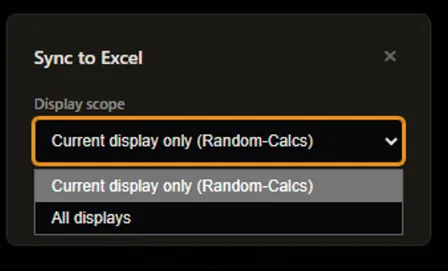
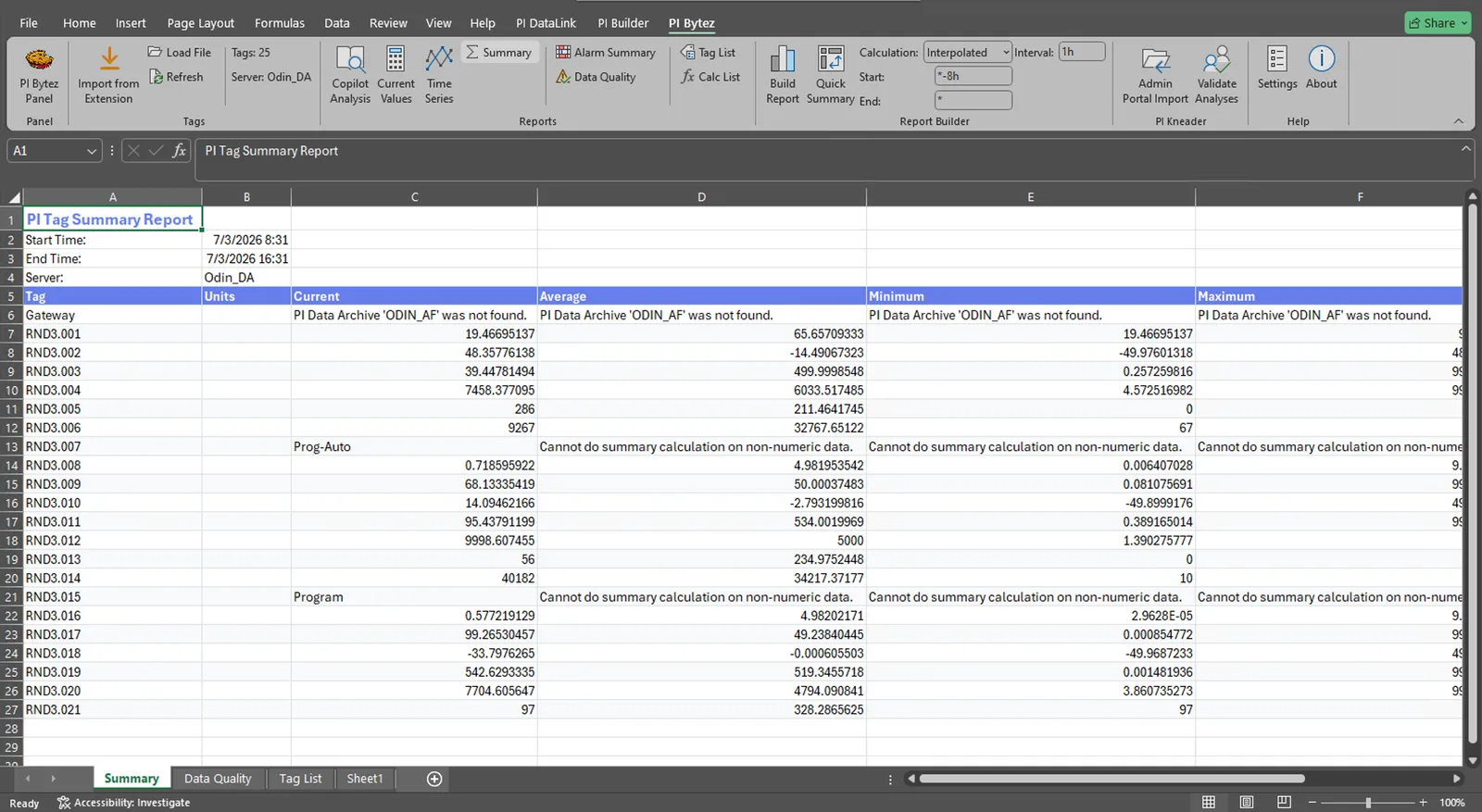
One-click export to PIBytez-Sync.json. Excel add-in picks it up and builds DataLink reports, Formula Builder tables, and Copilot Analysis sheets.

How it works

Install once. Live in the side panel.

Install the extension

Download from the Microsoft Edge Add-ons Store. License key activates the tool. No account required. No telemetry.

Browse PI Vision normally

The side panel fills in with every tag you touch — path, label, units, current value, display context. No copying. No clicking "extract" on every display.

Trend, share, hand off

Build a trend in one click. Save a hotlist for next shift. Or, when you need a report, Sync to Excel for DataLink, AF Export for PI Builder. Same tool — daily use to migration.

See it in action

What the tool looks like

TAG CAPTURE LIVE
TI-4501A.PV184.2
FI-2203.Flow512.8
PIC-1104.SP95.4
LI-3310.Level62.1

01 · Tag list view

PIBytez_AF_Export.xls
BadVal guards. Owner attributes. Ready to import.
#ElementAttributeType
01Reactor_R1TempInPI
02Reactor_R1TempOutPI
03Reactor_R1FlowPI
04Reactor_R2TempInPI
Elements
Templates
AFAttrib
_REVIEW

02 · AF Structure Export

Browser
PI Vision
Capture
PI Bytez
Report
Excel

03 · Sync flow

FAQ

Frequently asked

Does it work with any PI Vision deployment?

Yes. The extension is granted access to all sites because PI Vision URLs vary by organization, but it only acts on PI Vision pages you actively browse. Nothing leaves your browser — all data stays in local extension storage.

What browsers are supported?

Microsoft Edge (Chromium, Manifest V3) is the primary target. Chrome compatibility is inherent since they share the same extension runtime. Firefox: not planned.

Does it require PI DataLink?

The browser extension: no. The Excel add-in: yes, for report generation (it emits DataLink formulas). Verified with PI DataLink 2019 and later.

Does any data leave my browser?

No. All storage is local (chrome.storage.local). There is no analytics, no telemetry, no account system. See the privacy policy and security page.

Can I use it in an airgapped environment?

Yes. The extension works fully offline once installed. The Excel add-in runs locally, no network calls. License delivery via email or USB. Contact us for a redistributable build.

Ready to try it?

PI Bytez is in closed beta. Request access and Kalvin will email you with a direct install link and a signed Excel add-in.

Request beta access See PI Kneader →